There is a massive "retention blind spot" in the travel industry. Too often, we treat repeat guests and referrals as happy accidents. But what if you could identify exactly who is "shouting from the rooftops" about your business in real-time?
The secret lies in moving from passive photo delivery to active Advocate Identification.
The Strategy: Focus on the Few to Reach the Many
The math is simple: Don't spend your entire budget trying to reach 1,000 strangers when you can empower your top 10 advocates.
Fotaflo doesn’t just deliver photos; it tracks engagement. When a guest shares an album and their friends start clicking and viewing, that guest becomes a growth engine for your brand. By setting up specific notification thresholds, you stop logging in to "check if anything happened" and instead let your best marketing opportunities come to you.
Feature Focus: Advocate Notifications & Thresholds
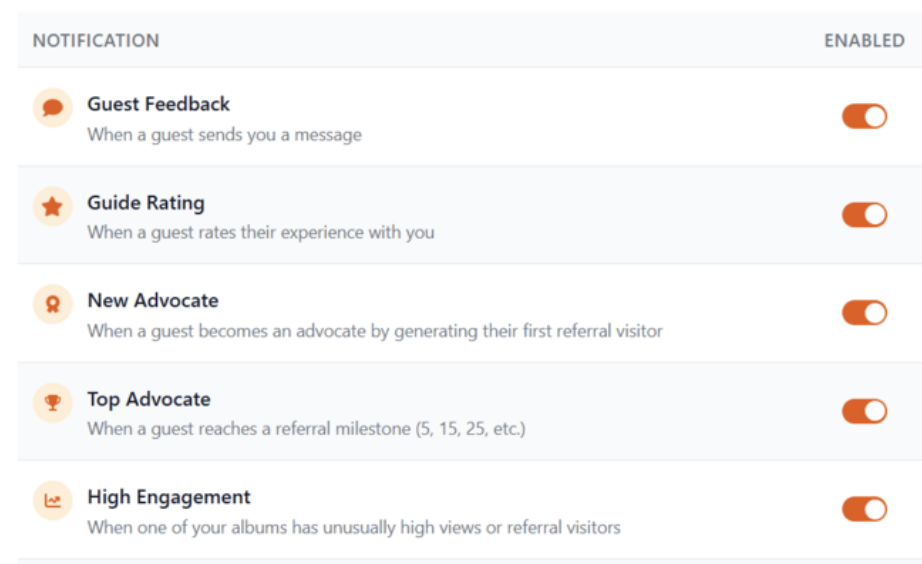
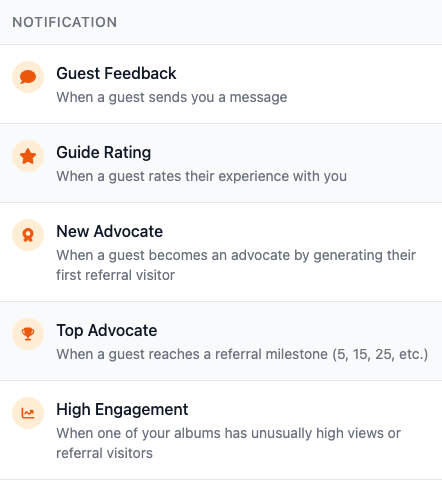
The Notification Preferences page in Fotaflo is where your "marketing math" gets solved. Here are the three key triggers that turn raw data into a strategic advantage:
- New Advocate: Notifies you the moment a referral visitor (a friend or family member) engages with a shared album.
- Top Advocate: Notifies you when a guest reaches a specific referral milestone (e.g., 5, 15, or 25 clicks). These are your "super-fans."
- High Engagement: Alerts you when a specific album goes viral, signaling a spike in interest from a specific social circle.
ACTION POINT: Set Up Your "Raving Fan" Radar TODAY
You don’t need a complex marketing plan to start seeing results. You can set this up in less than five minutes. Here is exactly what to do right now:
1. Navigate to Notification Preferences
Log in to your Fotaflo dashboard and head to the Notification Preferences page. (Ensure your time zone is correct in Basic Settings so your "Quiet Hours" work properly!)
2. Enable "Top Advocate" Notifications
Toggle this switch to ON. We recommend setting your "Message Frequency" to Weekly Digest if you are a high-volume operator, or Instant if you want to see your results in real time!
3. Set Your Thresholds
Decide what a "Raving Fan" looks like for your business. Is it 10 clicks? 20? Set a milestone that triggers an alert to your inbox.
4. Activate the "Top Advocate" Reminder
Now that Fotaflo is identifying your best customers, let it handle the outreach for you. Go to Settings > Reminder Library and set your Top Advocate Reminder to Active.
This automated email is your chance to turn a guest into a long-term partner. You can edit the template to include a celebratory "Thank You," a special return offer, or our top suggestion: Invite them to be featured on your business socials. Many of your top advocates are micro-influencers who are more than happy to get the "clout" and recognition from a brand they already love.
Why do this now?
Whether you are preparing for a busy season or wrapping one up, your guest data is your "competitive moat."
By turning on these notifications and reminders today, you stop guessing who your best customers are and start building a predictable revenue stream fueled by genuine human memories—all completely automated.
Ready to find your advocates? [Log in to your dashboard to update your preferences.]